
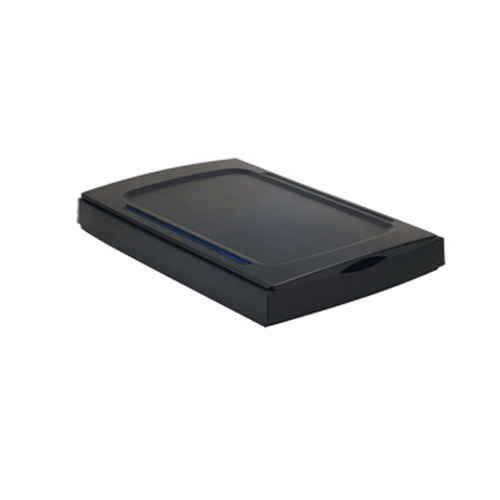
Product Description
| The A3 2400s is our newest Hi-Res Scanner. It can scan images up to 11.7” x 16.5” in high resolution. Great for scanning magazines, comics, newspapers, and large documents in under 10 seconds! | |||||||||||||||||||||||||
|
System Requirements
|
|||||||||||||||||||||||||
|
|||||||||||||||||||||||||
|
Specifications
|
|||||||||||||||||||||||||
|
|||||||||||||||||||||||||
|
Features:
|
Accessories:
|
||||||||||||||||||||||||


Julius Guzy – :
Now I am told it only works with os 10.7!!!!
No wonder all those other users on the apple support communities are complaining https://discussions.apple.com/thread/5549847?tstart=0
Me to. I run 10.9.6 and cant even tell if there’s an electric current going into it. The software just keeps telling me I’ve not got the USB plugged in.
Mustek Technical Support – :
Good Morning Julius,
Please follow the below instructions in order to be able to install the correct driver. This scanner is compatible with OS 10.9.6
Driver Download Instructions:
Make sure to download the correct driver according to your scanner model as following:
1. Locate the 12-digit serial number on the back of your scanner.
2. Write down the first 3 digits in the serial number for the model code of your scanner.
3. Search for the model code that corresponds to your scanner as listed in the table below.
4. Download the scanner driver from below Links respectively.
A3 2400S (D18) < —Download the below if your scanners serial # starts with this.
A3 2400S (D3K) < —Download the below if your scanners serial # starts with this.
Lisa – :
I have the same problem as Julius. But I have OS X Yosemite 10.10.7. What Software should I use? Im so very tired of this scanner and all problems with the softwares. Everytime I upgrade it´s a huge problem to find the right one, and now it seems like there is none. Can you help me?
Mustek Technical Support – :
Good Morning Lisa,
If the serial number of your scanner starts with “D18” then please download the drivers for OS 10.10 at the following link:
driver/A3%202400S%28D18%29/
If the serial number of your driver start with “D3k” then please download the driver for OS 10.10 at this link:
driver/A3%202400S%28D3K%29/
Please let us know if you have any further questions or concerns.
John Dennis – :
I have used my Mustek A3 2400 PRO for over 3.5 years (since July 2011) and it has been rock solid, scanning 10-20 hours many days. I bought it originally because of its large scan size but because of its quality images and speed I use it almost exclusively even though I also scan slides and negatives on my Epson Perfection V750 PHOTO. Most of the 250,000+ family and community photographs I have now on my smugmug account were scanned by my Mustek. It is so much faster than other scanners and the quality is indistinguishable from my expensive Epson.
My original unit was replaced under warranty, which took about 3-4 weeks but they sent me a brand new sealed unit. When I had my Epson replaced under warranty, they sent me a “refurbished” unit (not the one I had sent them that appeared brand new), which the finish was noticeably worn, stained and scratched, and the underneath of the glass was dusty and hadn’t been meticulously cleaned after repairs as would be expected for a scanner.
I highly recommend this scanner, for its size, speed and quality, and I feel the company stands behind their product.