| Before installing the latest version of driver software, please uninstall any previous version of software components if there is any. 1. Disconnect your products USB cable from the computer. 2. Download the following file(s) and save them to the same directory.
You will have to download all of the Web files or the complete set by clicking on the Download All button on the web page. 3. Execute the file called Web or Web.EXE. The installation will begin, and you will see the following dialogue box appear on the screen. 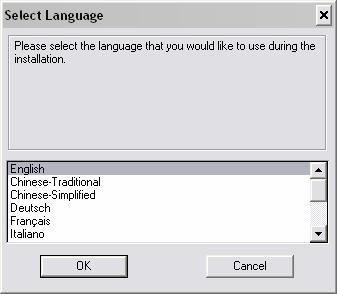
Select the language that you wish to use during the installation and choose OK. When the installation is complete, it will prompt you to restart your computer. You may go ahead and restart your computer at this time. 4. When you computer has finished rebooting, connect the product to the computer. A “Found New Hardware Wizard” should appear, please select the “Recommended” installation and click on “Next” to continue the installation. 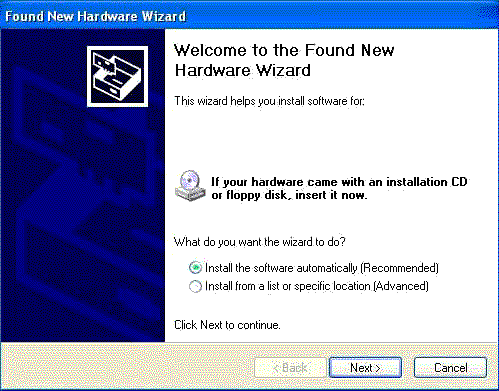
The following dialogue box may appear at this point asking you if you would like to continue the installation. 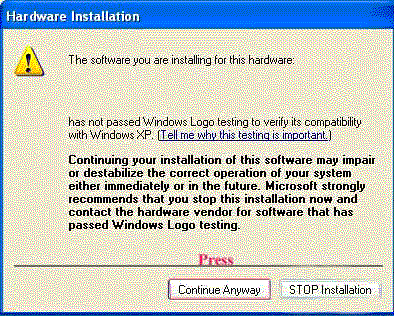
Please click on Continue Anyways to complete the hardware installation successfully.
(Note: Our driver has been testing for Windows XP-compatible certification by Microsoft at this moment. It is safe to run. )
|